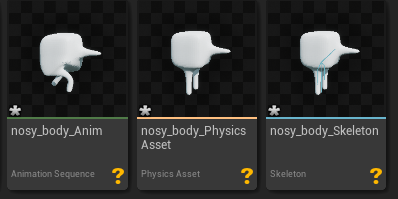
I’ve looked up why my animation is so tiny, why my character is importing with the wrong rotation, and why is my model the size of Mount Olympus now. Hopefully, with this guide you will be able to avoid those issues. If you need any additional help, leave a comment down below!
- We will need to setup Blender to use units that are the same scale as Unreal. Set your Unit Scale to 0.01 so that you are working with centimeters instead of meters as your base unit, same as Unreal. By default Blender works in units being meters.
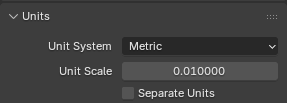
- Your camera will bug out because your working with such small objects now, and you’ll probably want to scale up your models too so your camera will freak out even more.
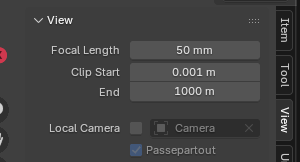 Go to View and set the Clip Start and End to something like this so the camera doesn’t glitch
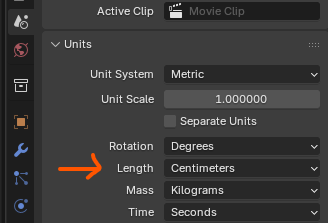
 - OR if you don’t want to do all that, just change your Unit’s length to be Centimeters instead of Meters
- Now model your character and apply all transforms.
- Make your armature – then name all the bones appropriately. You should name the armature “root” so that when you import it into unreal the extra parent bone unreal makes for you will be called “root”. DO NOT leave the armature’s name as “armature” because then unreal will not make a new parent bone and it will mess up the scaling and rotation for all your animations.
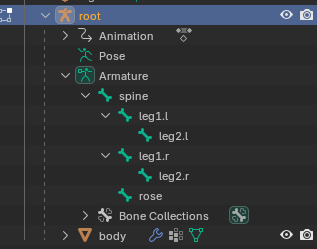 becomes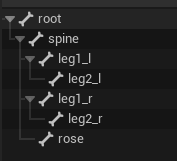
- Weight paint
- Animate
- Texture
- Export as FBX using these settings
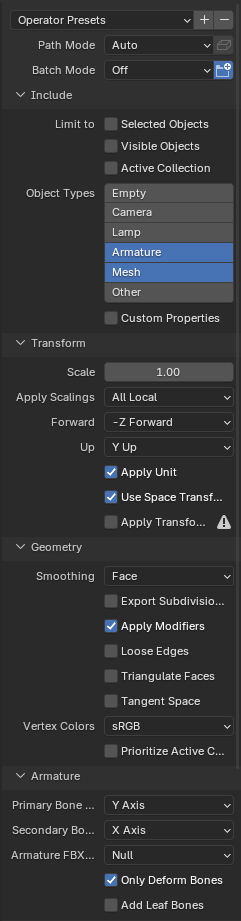
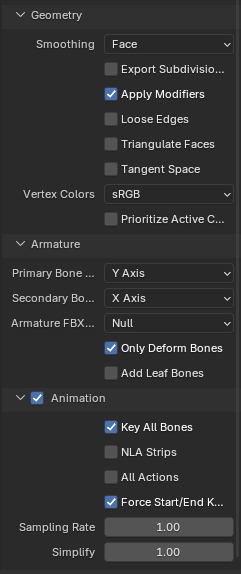
- Import your FBX into unreal. I like to just drag and drop the FBX file into the Content Browser. Then for the import settings, do this:
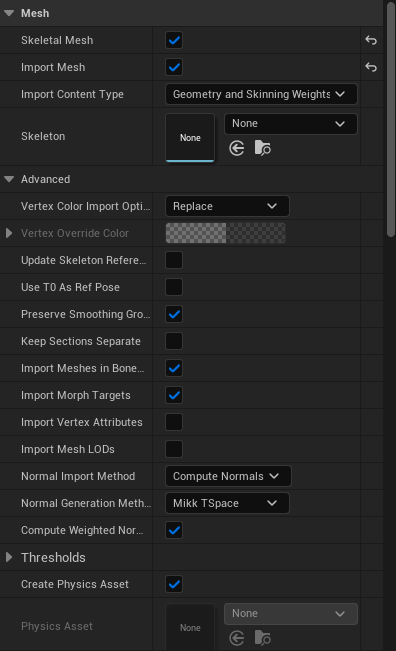
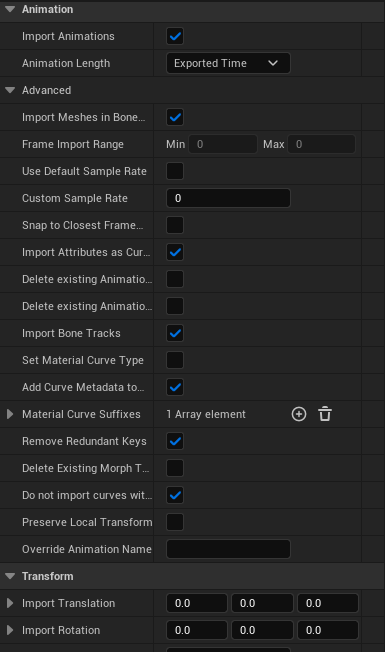
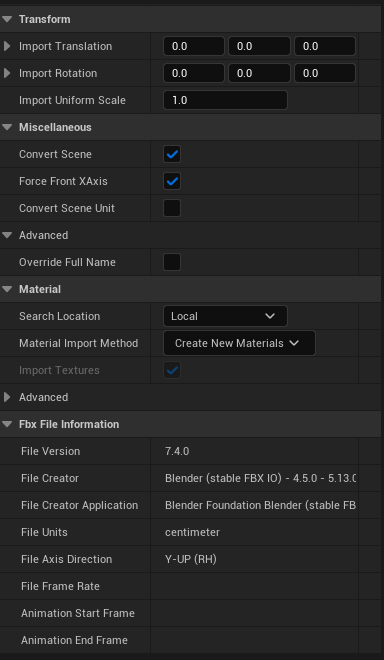
- If you have more animations to import, simply switch to that animation in blender in the Action Editor then export again.
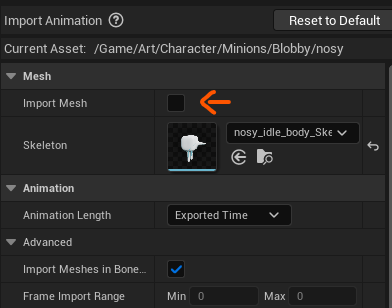
- When importing just your animation, you’ll want to uncheck import mesh.
- And that’s it! You should have your models all facing the forward vector (positive x axis) and at the correct scale.
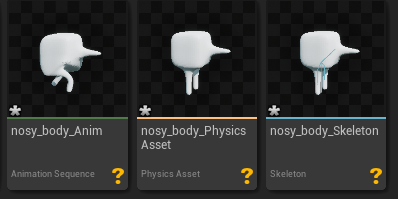 As a footnote – you will notice that my character isn’t textured. I am still figuring out the best way to get the textures into unreal, but the way I have working right now is just to save the textured image in Blender and then assign the texture in the material created for your model in unreal.